Last few sprints, I was a bit swamped from projects from other classes. So I missed posting in blog 4. But during that sprint, another teammate got started on creating a basic enemy. It moved on a premade route though so wasn’t a huge threat to the player. Though I added modifications for the enemy to detect when the player is within attacking distance to start deal damage to the player instead of moving. I also added some changes to the player so that it can attack enemies using the same gesture to move the player across the map.
The biggest change
As I mentioned all the way in sprint 1, the big thing I was dreading having to do was pathfinding. Well the time has come.
Following a guide I ported a python implementation of the A* pathfinding algorithm to Blueprints. This allows enemies to plot a route from their space to the player (or other target). Finally, all we need to do is plug in the next tile in the route into the enemy’s movement, and then it starts moving towards the player!
There is still some level of jank in this implementation though. I noticed that sometimes the enemy won’t find a path if the player is too far or it takes a certain amount of turns to get to them. Though we can simply have the enemy not move that turn as a temporary solution.
On the surface, this might seem like a relatively simple task. It might have been much easier to implement if we were text based programming like C# in Unity or using C++ in Unreal. However everything is being done in Blueprints. Not everyone in our group knows how to use C++ in Unreal, and we didn’t want to add too much complexity to the rest of our project. The code for A* pathfinding looks a little like the below.
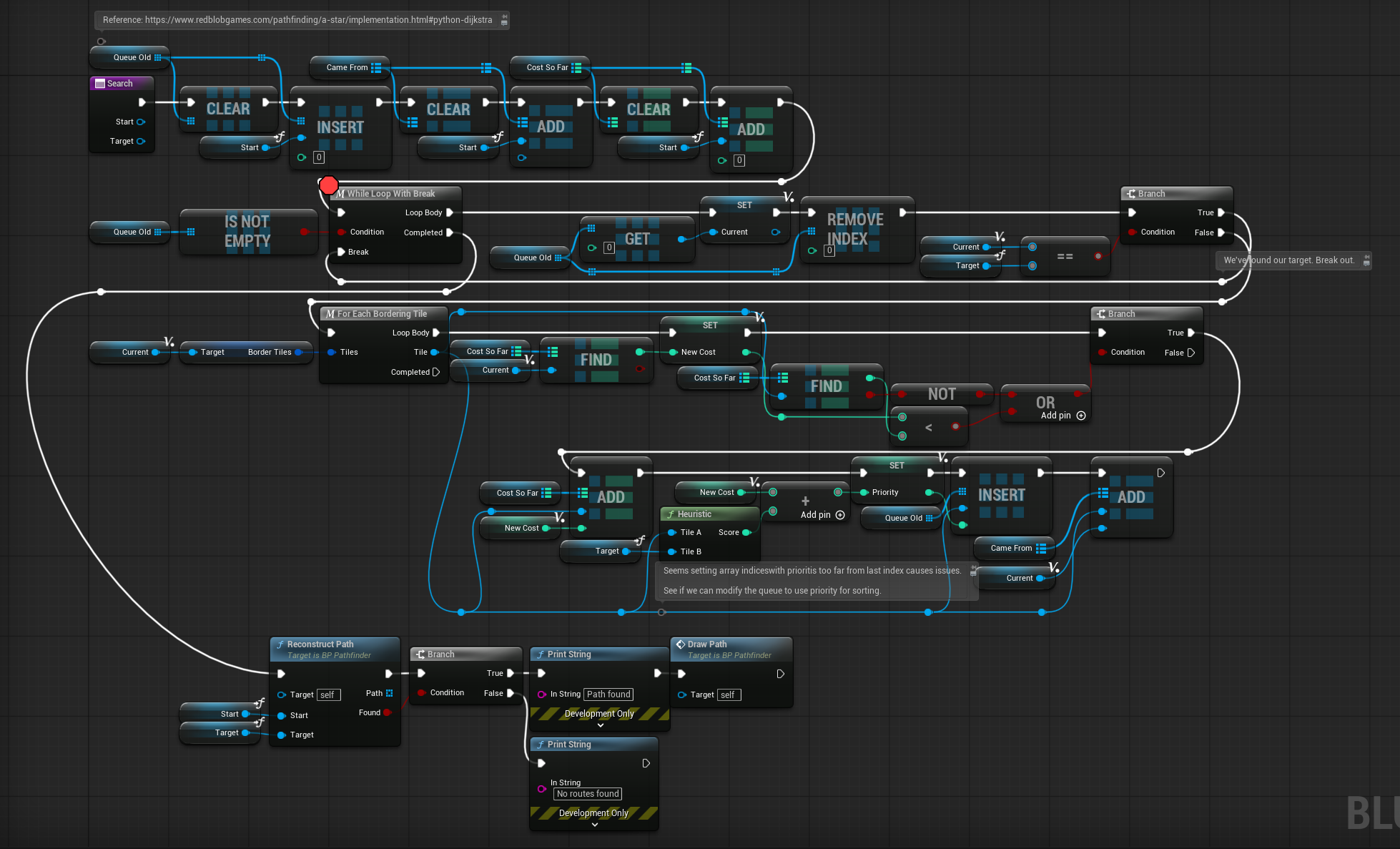
I try to keep blueprint code as neat as I can, but due to Blueprint’s graph-based nature, I find it can be difficult some times. However I think this is clean enough for our purpose and works well enough. Though the next steps would be to add “cost” to certain tiles to encourage enemies to avoid certain paths (because right now they will just take the short path and suicide themselves through all the spike tiles).
UI Design Adjustments
As we are nearing the end of the game’s development cycle, and as we are soon to begin creating weaponds, I thought it would be better to solidify the design of our game’s user interface. Most controls for the player will be swiping in the direction to perform actions (such as moving, interacting, attacking, or swapping equipment from surrounding tiles), but we wanted to have an inventory of 3 types of items that players can easily click to activate abilities. These were previously put at the top of the screen, however moving them to the bottom and making them span the full size makes them much easier for the player to click.
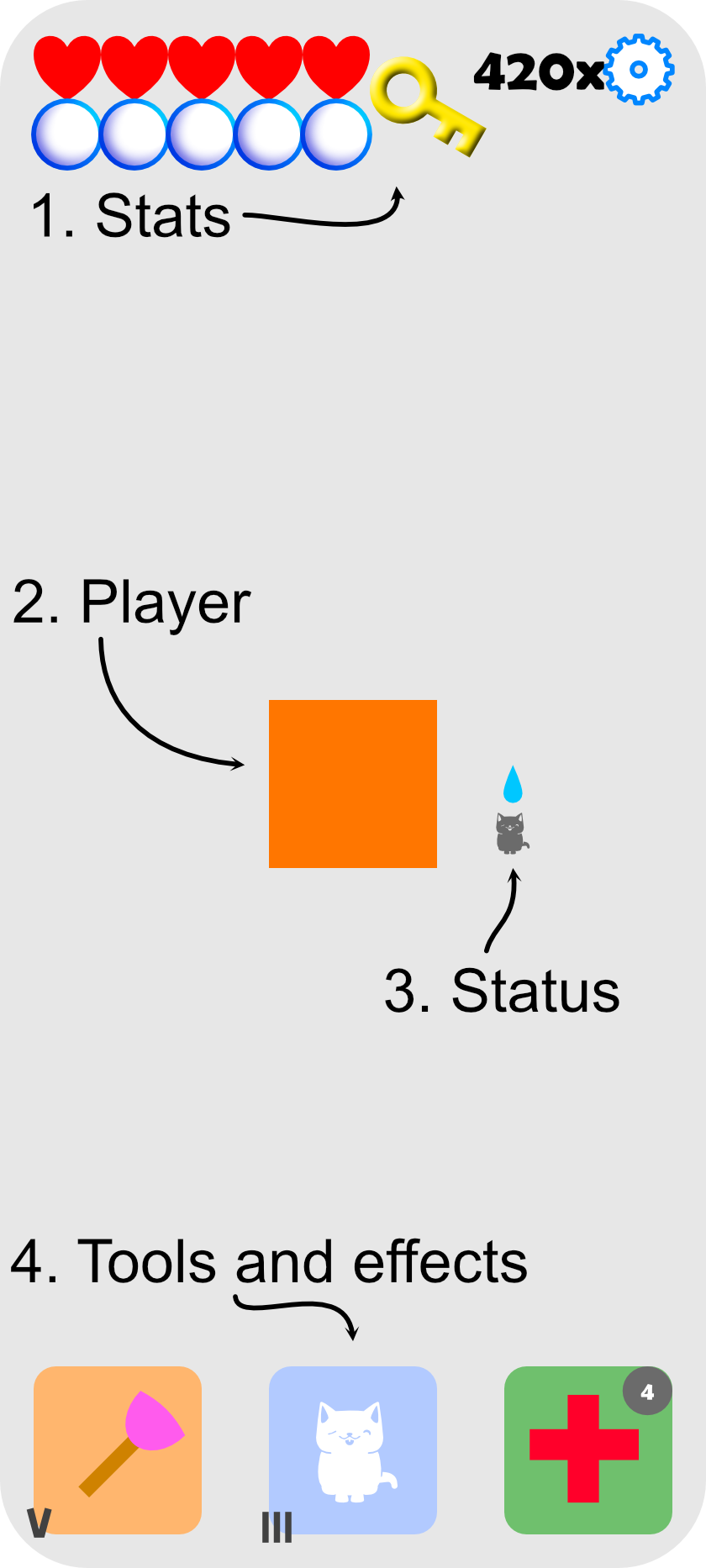
I also wanted to pitch a couple areas that we can have rouge-like progression. One area is that we can make health upgradeable so players survive longer; similar idea with the bubbles which represent air when players travel under water. Weapons and skills could have levels indicated in the bottom corner so players can decide to swap for stronger, higher level equipment that they may find (or upgrade them by spending EXP).
We also had keys to unlock the exit for certain levels, so I thought it would be useful to indicate when the player needs a key with an outline, then when the player has picked up a key with the key icon. We were thinking of using trash or leftovers as currency, as the player is supposed to be a possum in the sewers. So players can find this resource in a run, which they can use in the store between run.
Lastly, of the items the player can pick up, the third slot will hold disposable items that run without a cooldown but can run out. So we should add an indicator to show how much is stored in stock.
We also think a store might be useful so players can swap their gear out between runs. Stores would have a small selection of items, but it randomly shuffles each run. Items are priced based on item’s rarity and level.
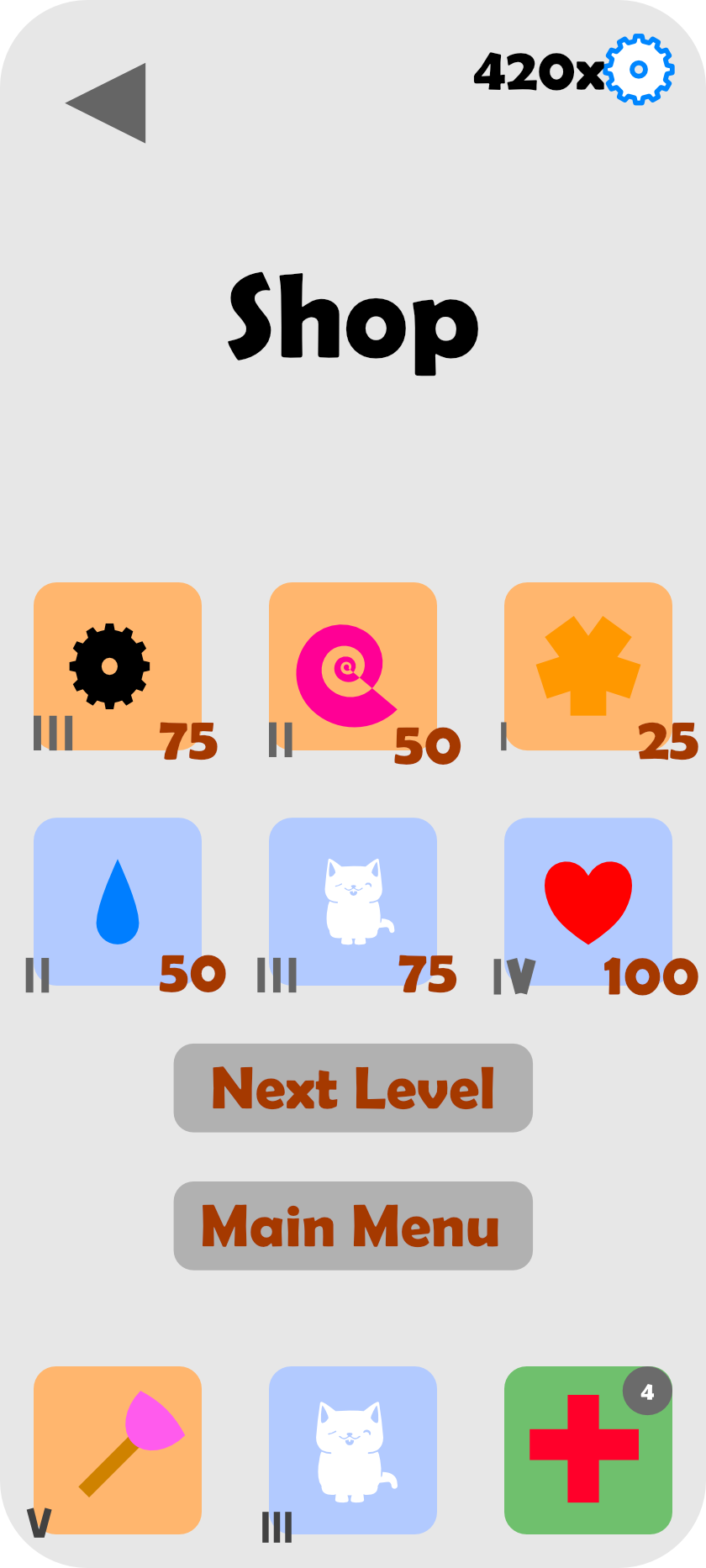
We also think that the store could be another area that players can upgrade as progression. They can level up the shop to get a selection of rarer or higher valued items to spawn more often.