Background
In the previous blog, I started a new mobile game project with two other teammates for a class assignment. We’re trying to make a standard roguelite but with controls very centered on being ergonomic for mobile platforms.
Player’s will control their character through a tile-based dungeon crawler, by swiping to perform actions. Mainly, moving into empty tiles, attacking tiles containing enemies, or swapping items with adjacent tiles. We then want to include three inventory items to hold one of each type of pick ups: consumables, weapons, and magic/character abilities. The idea of the small inventory is to keep the game uncomplicated for a mobile device, and to make it so that we can have 3 buttons onscreen to activate their effects really easily. It also makes players think of whether they would like to keep items to upgrade, or discard it to switch to a newer item.
In the last blog, I’ve worked to create the base project in Unreal and serve it on github. I also began working on some of the most core components to our game: a Tilemap object to spawn levels given a list of coordinates and tile types, and a basic player just to test moving around the tilemap.
Since the last blog, I’ve revamped the tilemap to be more flexible for level creation, and added a new type of tile. I also tried learning more about the process of creating Android builds from Unreal
Next tile, spikes
We only had the regular floor tile in our game so far which was just a regular plane. To create some variation, I was tasked with creating a model of a spike tile that signifies it will damage anything that steps on it. I created a quick, low-poly, model in Blender of a block with some spikes, which didn’t take too long, so I also decided to add a blend shape so we can animate the tiles becoming enabled/disabled.
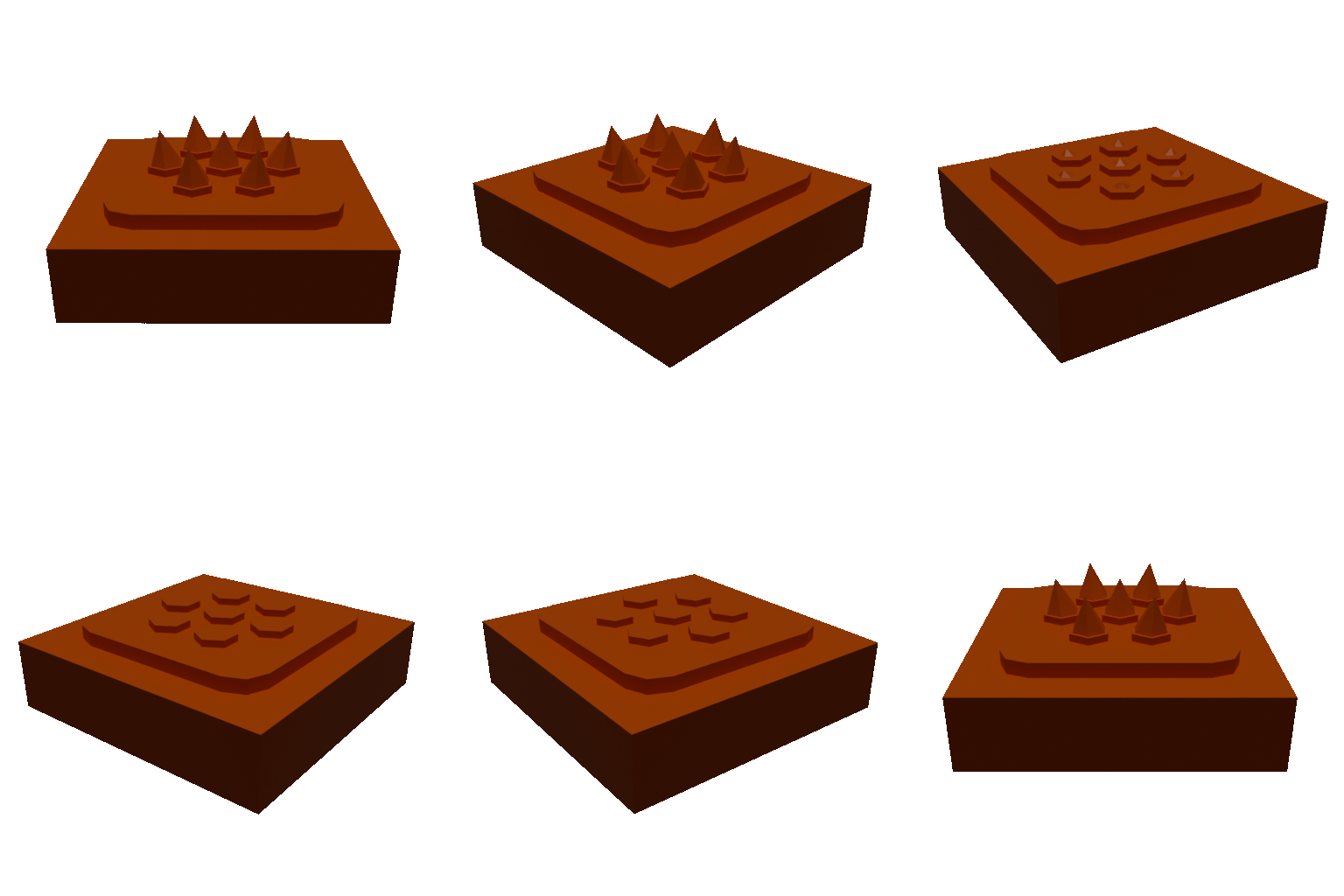
Nifty animation created in Blender just for fun
We decided not to texture it yet though, at least not until we have a fair bit more assets to play around with. Better to have multiple assets share the same texture, rather than many testures (especially a game targetting mobile devices.)
Revamping the tilemap
Our last tilemap implementation was very simple. Basically when spawned, it accepted a map of coordinates to tile types. It would then spawn the corresponding tile at each coordinate, creating the level. The implementation worked pretty well, but was a bit too simple. It couldn’t allow spawning of entities or items on tiles, nor could it set the initial state of a tile (such as whether a spike tile should start out enabled or disabled).
Spawn items and entities
To tackle spawning enities and items in a way that we can pass in one map to create an entire level, I created a few more structs the tilemap can use to create the level.
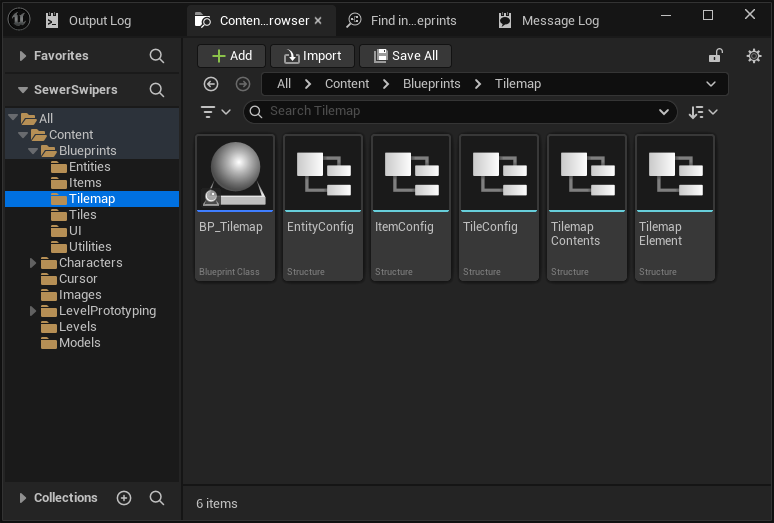
More structs to initialize tilemap
Now each tile basically contains 3 layers: The tile type, what entity to spawn on the tile, and what item to spawn. Previously we dragged a player entity into the scene where the (0,0) tile would be located and ensured that a tile would be under the player. But now with the entity layer, we can tell the Tilemap to spawn a player on a particular tile.
There is also a bonus feature where items are equipped to entities that spawn on the same tile as it. So enemies can drop items when killed!
Initial tile states
On top of this, each layer can accept some initial parameters allowing us to modify each tile’s, entity’s, and item’s behavior at spawn time. These features are more implemented proactively and aren’t currently used, but will be as the game progresses.
Each of the TileConfig, EntityConfig, and ItemConfig has a field to hold a map of string values so each of these can process their own special type of parameters.
Tiles also have a special set of parameters I like to refer to as the “signal API”. Essentially, certain tiles should be able to interact with and control the state of other tiles (such as a switch or button controlling a spike tile or door). Essentially each tile could be given a list of coordinates to send a signal to (which is stored in the TileConfig). Then when a tile broadcasts a signal, it sends out the name of the signal to tiles at the specified coordinates. Then the tiles can do actions based on the signal’s name.
For example, a button may send a toggle signal or a switch may send an enable or disable signal depending on its state. Then recipients may use these particular signals to change its state. Like a spike trap raising and lowering it’s spikes, or a door locking or unlocking itself.
Database of entities and items
The last significant part of the tilemap is that is serves as a database of anything that exists in the level. Entities can query the tilemap in order to search for items, specific tiles, or other entities. For this to work, the tilemap tracks the location of entities that move across it. as well as when an item is picked up or dropped on the map. This also allows tiles to receive events when an entity exits or leaves it (useful for example if a player steps over spike so they can take damage).
Other benefits this serves is that it would provide a way we can handle pathfinding since we won’t be able to use Navmeshes with the way our game works. An entity would, in theory, query the Tilemap for the best path to a target, and the tilemap provide that data to the entity based on the tiles in the level.
Android build
The last big task I worked on was figuring out the best way to create Android builds with Unreal Engine. As the rest of the class is using Unity, we need to verify we can create a proper buid playtesters can actually use as soon as possible, or determine if we need to jump ship and switch to Unity.
Discovering the issue
Last sprint I was able to create an APK (Android Package Kit, the app pacakge to be installed on an Android device) build for android that installed and ran on my Nothing Phone (2a) without issue. I realized that the build comes with a set of scripts to ease the sideload process using ADB (Android Debug Bridge, command line tools to control an android device from a PC). I also realized that if the APK was sideloaded without the build scripts, the game will launch, but will request the user enable certain permissions. Unfortunately those permissions are deprecated and the settings were removed from later versions of Android. So users wouldn’t have a way to allow these permissions and wouldn’t be able to playtest normally.
After investigating the issue, what I gather is that Unreal ships android builds as an APK and an OBB (Android Opaque Binary Blob, files that contain an apps assets). When publishing an app, the Google Play Store only permits packages with a maximum size of 150MBs, so assets are packaged sepperately inside these OBB files. Users are then supposed to download the OBB files (as I assume, from Google Play Asset Delivery) in order to run the game.
The reason the issue exists is that during testing, Unreal tries to copy the OBB onto the android device and read the file locally using deprecated permissions. The ADB script also helps to allow those permissions, so that testers don’t receive the permissions warning. However this isn’t feasible to use in our classroom for playtesting as other classmates are intended to download just the APK and sideload it (without unreal’s scripts)
The workaround
Scouring some forum posts, I found a workaround solution that appears to work. First, if the app is packaged as one APK (instead of also as an OBB), there wouldn’t be a need for these permissions. However, Unreal appears to still check for the permissions during the splash screen. It’s not currently clear how to tell Unreal to not request or check these particular permissions, however some sources suggested disabling the splash screen. It may be a dirty solution to not have the splash screen, but it appears to be the simplest solution that worked for our case. Until it becomes an issue for us, we plan to use this workaround for local, sideloaded APKs for testing.