Background
To finish of our Game Asset Production class, we’ve started a new project as a small group of four to recreate a scene from a modern game. Our group chose Resident Evil 4 (particularly the new remake from 2023).
Naturally, I’ve taken the role of programmer as everyone works on the models and visual style (at least at this moment). But, interestingly, I might be the only programmer of this group this time. Going in, I wasn’t too familiar with the gameplay mechanics, but unlike last time doing this type of project, I bought a copy so I can experiment with how the game actually behaves to replicate it’s behavior.
Now unlike the CAGD 470 or CAGD 495 classes, sprints are half as long, so there is a little less flexibility with how time is spent for these projects, so I’ll need to ramp up production as the project progresses.
First, replicating inspect behavior
First feature took some time, but I believe I’ve replicated the exact behavior of inspecting items from the game. You can run over to an object, select F (or X on the gamepad) to open a menu solely to view all the intricate details of the object. Rotating it occures with click dragging the mouse (as well as Q and E), or on gamepad, it uses the left and right stick to rotate. Zooming is handled by mouse wheel, or right stick Y-axis. The view can also be reset, just like it is in game, and both with mouse+keyboard controls or with gamepad.
The way it works, the player casts a ray to detect objects to select. Once they spot something, they press the interact button to open a new UI widget. At the moment, the widget just has a blur background and a single image, but we can add UI elements eventually to make it look even more snazzy. The image contains the results of a Scene Capture object, which renders just the static mesh of the object we are inspecting.
As simple as it is, I really like how fluid and accurate this particular feature was to implement. It took some time to research that workflow, but it has paid off.
Starting Inventory Items
Afterwards, I’ve started to work on inventory items. I do plan to implement the full grid based inventory behavior that exists in RE4, but starting small, we have have a data asset that contains key information about an item for your inventory. Then we have an actor that takes that data asset, so you can spawn it in game (so that the player can collect them).
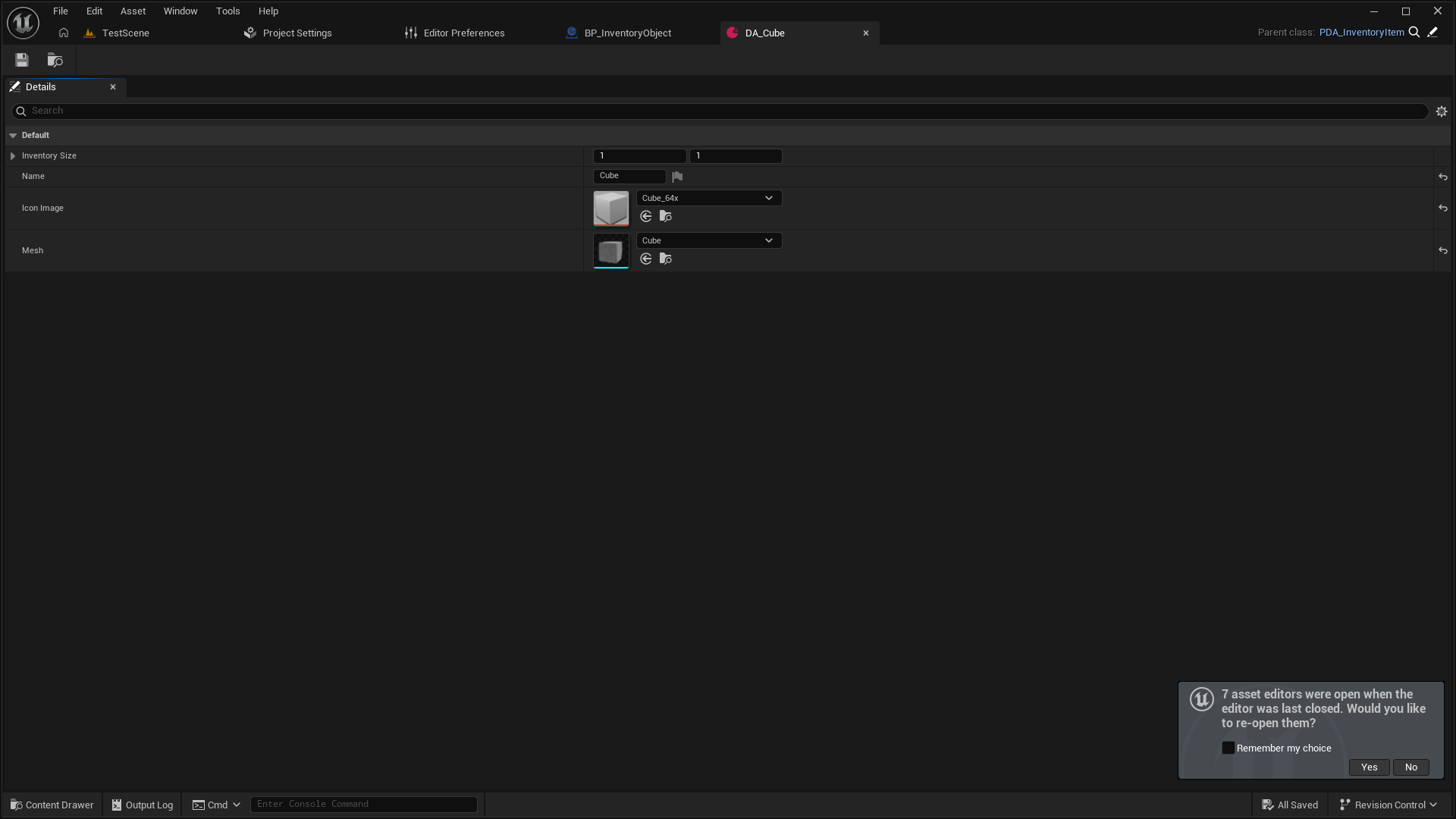
You’ll notice a couple of details which will be used later on for the full inventory system when it gets implemented. The item has a size (as Resident Evil has a sort of grid-based inventory players have to move items to physically fit them in their storage), an image to use in that inventory menu, and a static mesh for when it is spawned into the world (so the player can actually pick it up). At this moment though, the player can perform an action to pick it up, which just destroys the actor and prints its name (the inventory system would be more advanced to make at this moment).